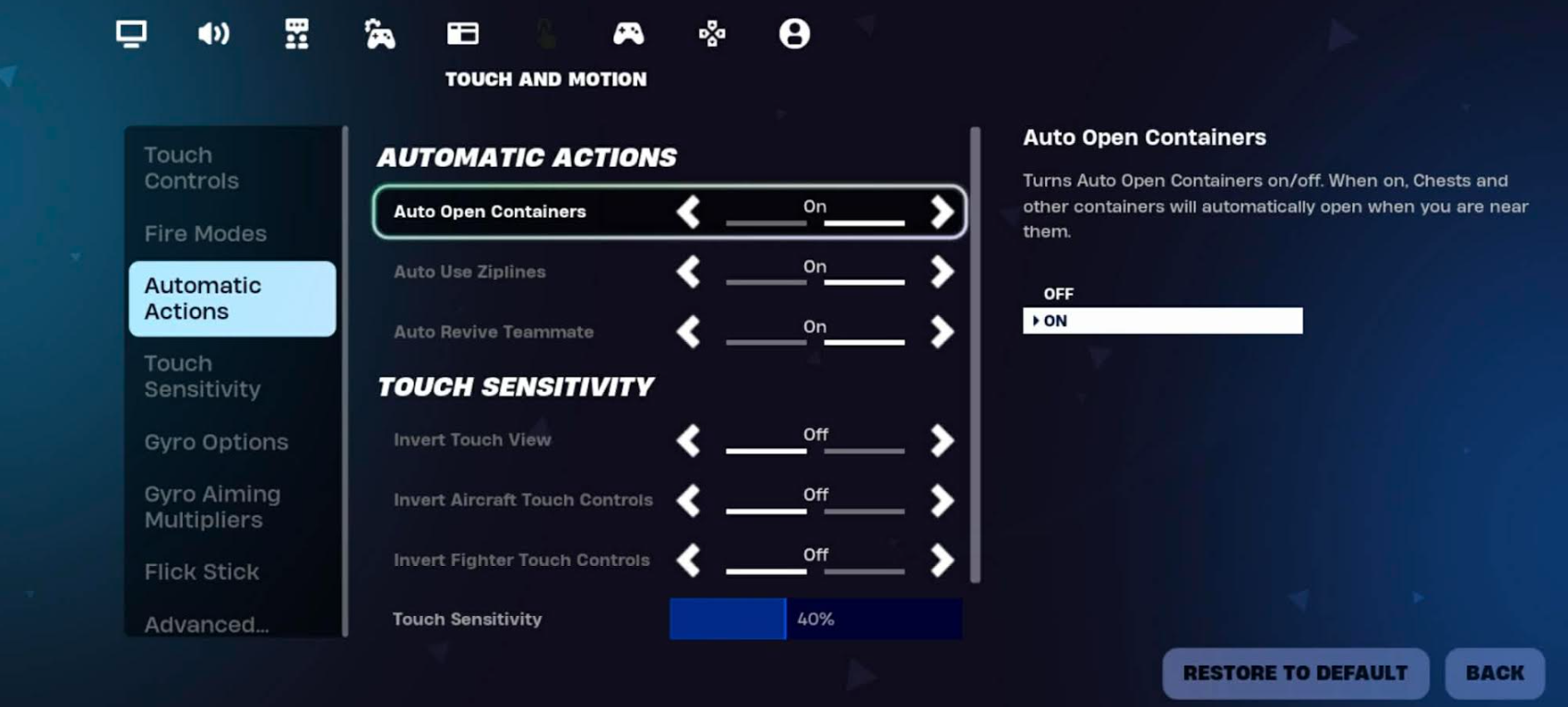
How do I Turn ON/OFF Auto Open Containers in Fortnite Mobile?
When you first sign-in on mobile, the default setting for Auto Open Containers for mobile players are set to ON.
To turn this OFF, you can follow the steps below:
Tap your Profile icon at the top-right corner of your screen.
Tap Settings (Gear icon).
Tap Touch and Motion (the icon with a hand pointing to a circle).
Tap Automatic Actions.
Modify the settings for Auto Open Containers.
Tap Apply.