Disable two-factor authentication (2FA)
To disable two-factor authentication (2FA):
Go to the Password and security (Opens in a new tab) section within your Account.
You may be required to pass the 2FA verification to proceed to this page.Under the Two-Factor Authentication section, select three dots on the 2FA method you want to disable:
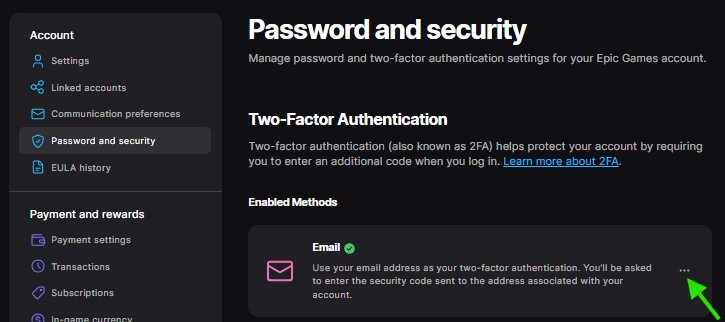
Epic Authenticator
Authentication app
Email
SMS
A dropdown menu will open, select Remove Method.
A pop-up will show asking you to confirm 2FA method removal. Select Remove.