How can I hide my Library in the Epic Games Launcher Early Preview?
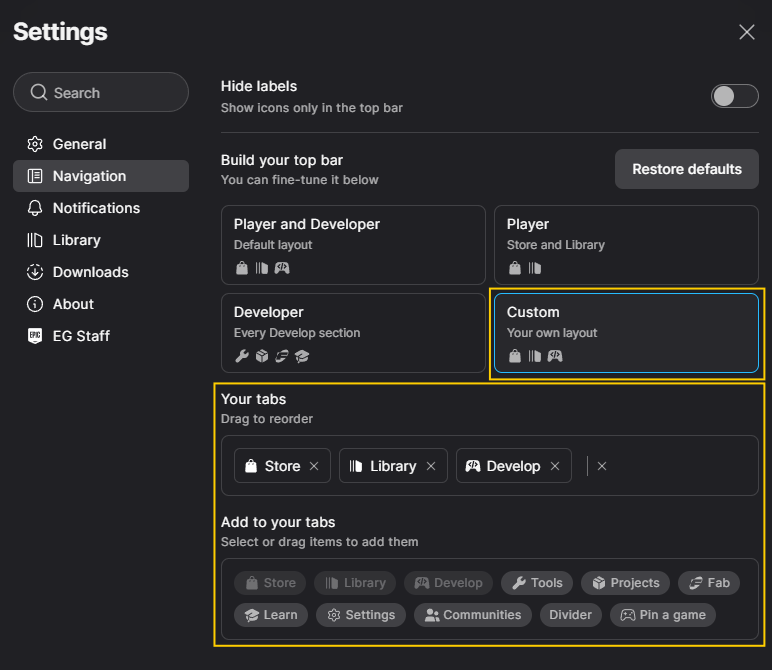
If you wish to hide your Library in the Epic Games Launcher Early Preview, you can choose which tabs to show by following the steps below.
Open the Epic Games Launcher Early Preview.
Click on the Epic Games icon in the upper left corner.
Select Settings.
Click on Navigation.
Choose Custom to customize your layout.