Cómo cambiar la dirección de correo electrónico de tu cuenta de Epic Games
If you are a child and your parent hasn't helped you set up your account, you may have a Cabined Account with different features. Visit this page (Se abre en una nueva pestaña) if you think you might have a Cabined Account to learn more.
Si puedes acceder a la dirección de correo electrónico actual de tu cuenta de Epic Games
Sigue estos pasos:
Sign in to your Epic Games account and then go to the Account settings (Se abre en una nueva pestaña).
In the Account Settings section, select the Edit button to the right of your email address.
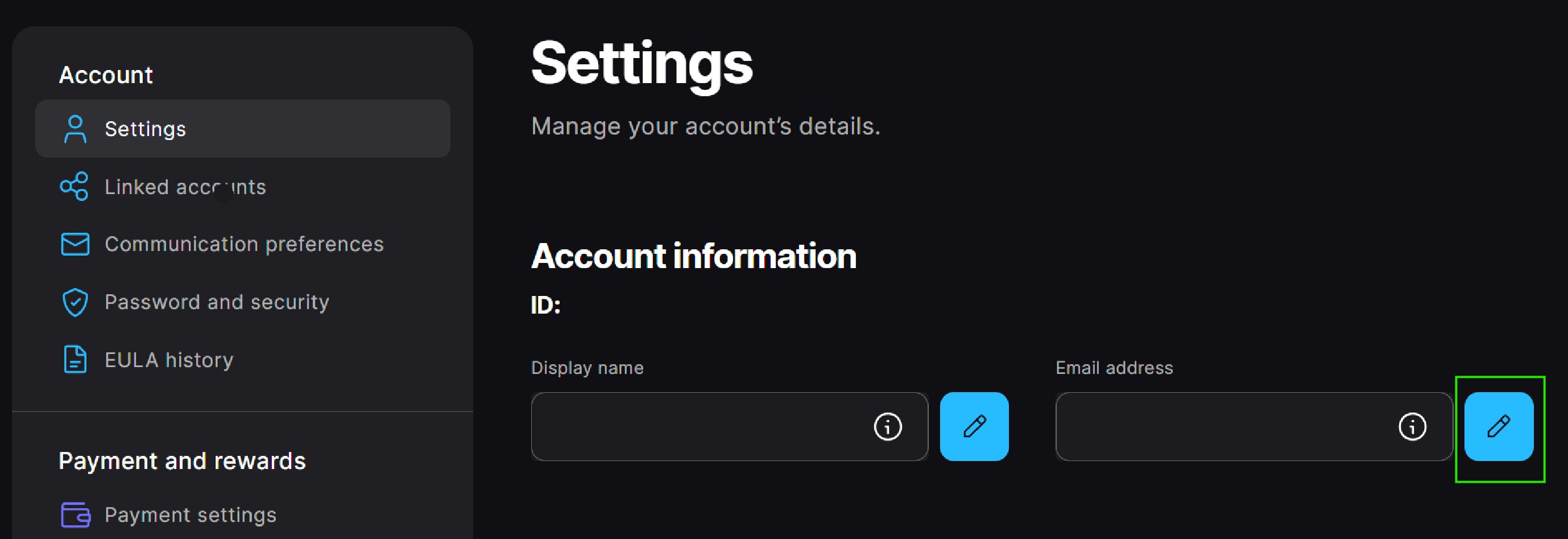
In the pop-up window, enter your new email address and then select Continue.
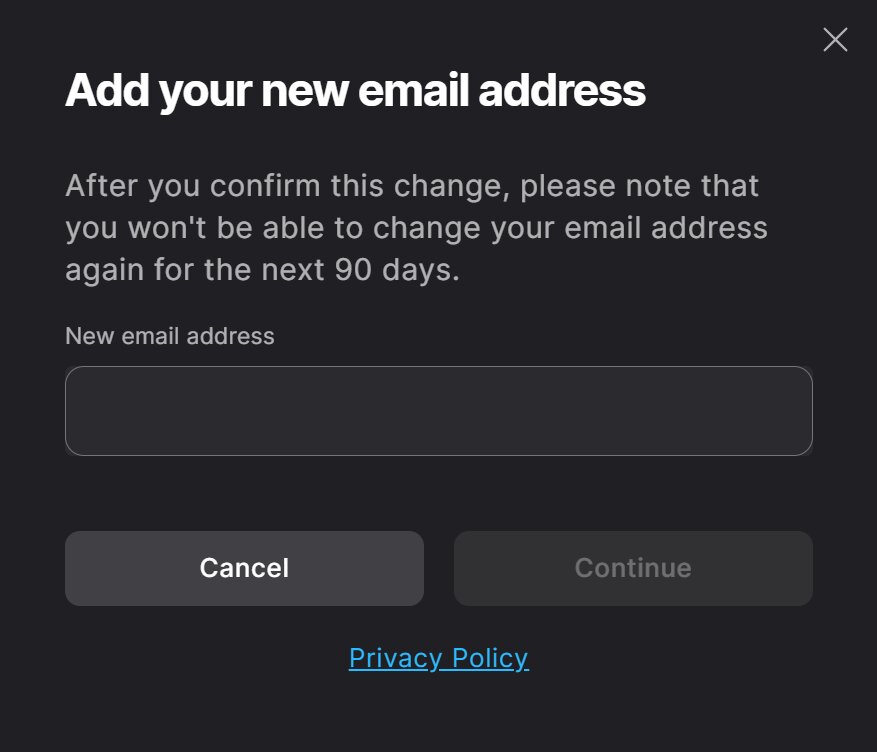 You must enter an email address that's not in use on another Epic Games account.The email address can only be changed once every 90 days.
When you select Continue, an automated email with a security code is sent to the current email on the account, and an Enter Security Code window will appear. Don't close this window.In the current email on your Epic Games account, find the email with the security code and enter the code into the pop-up window.
The email title will be “Email Change Request - Security Code.” If you can’t find this email, check your spam folders.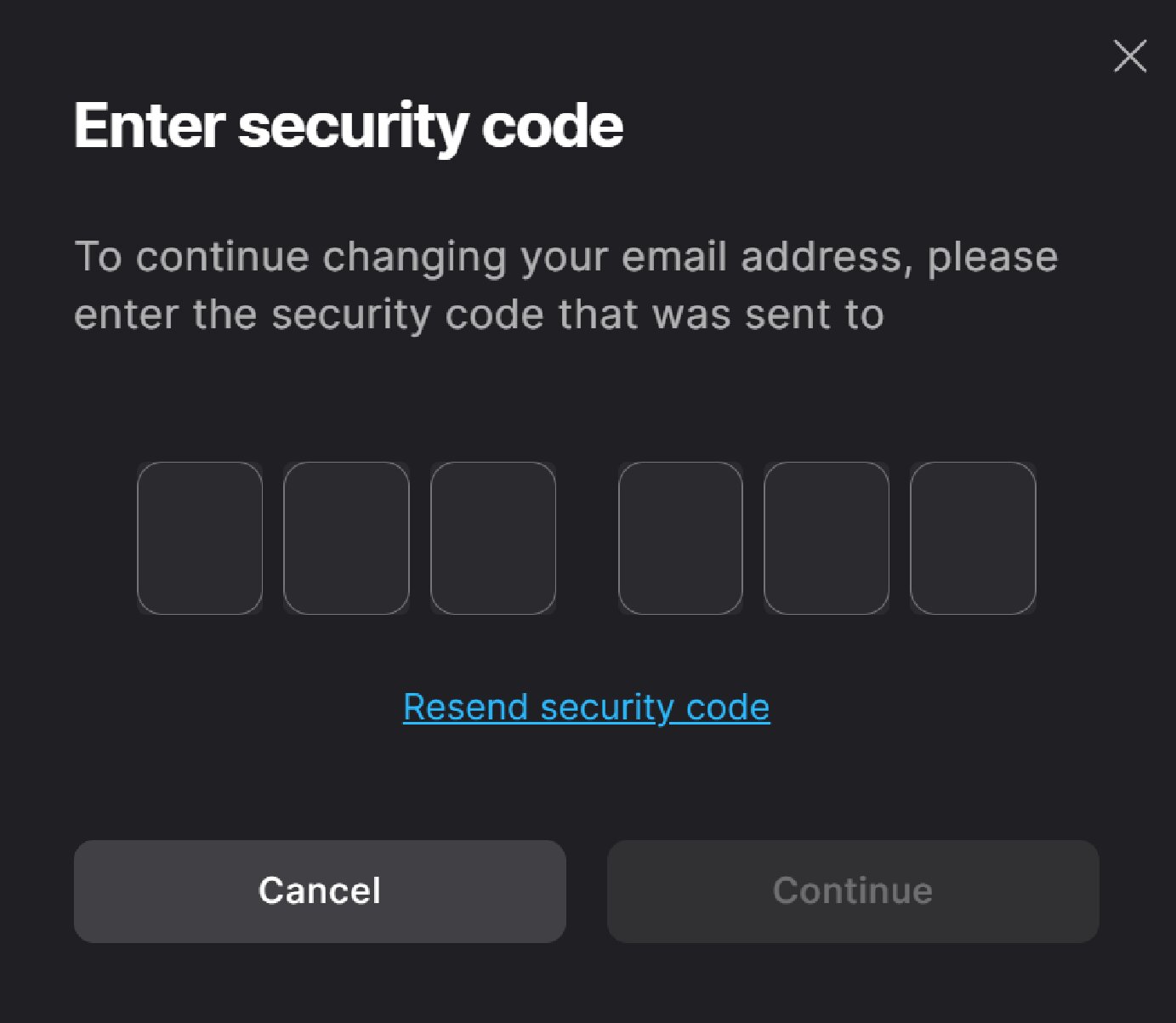
Select Continue.
An automated email with a verification link is sent to the new email address on the account, and a Please Verify Your Email Address pop-up window will appear.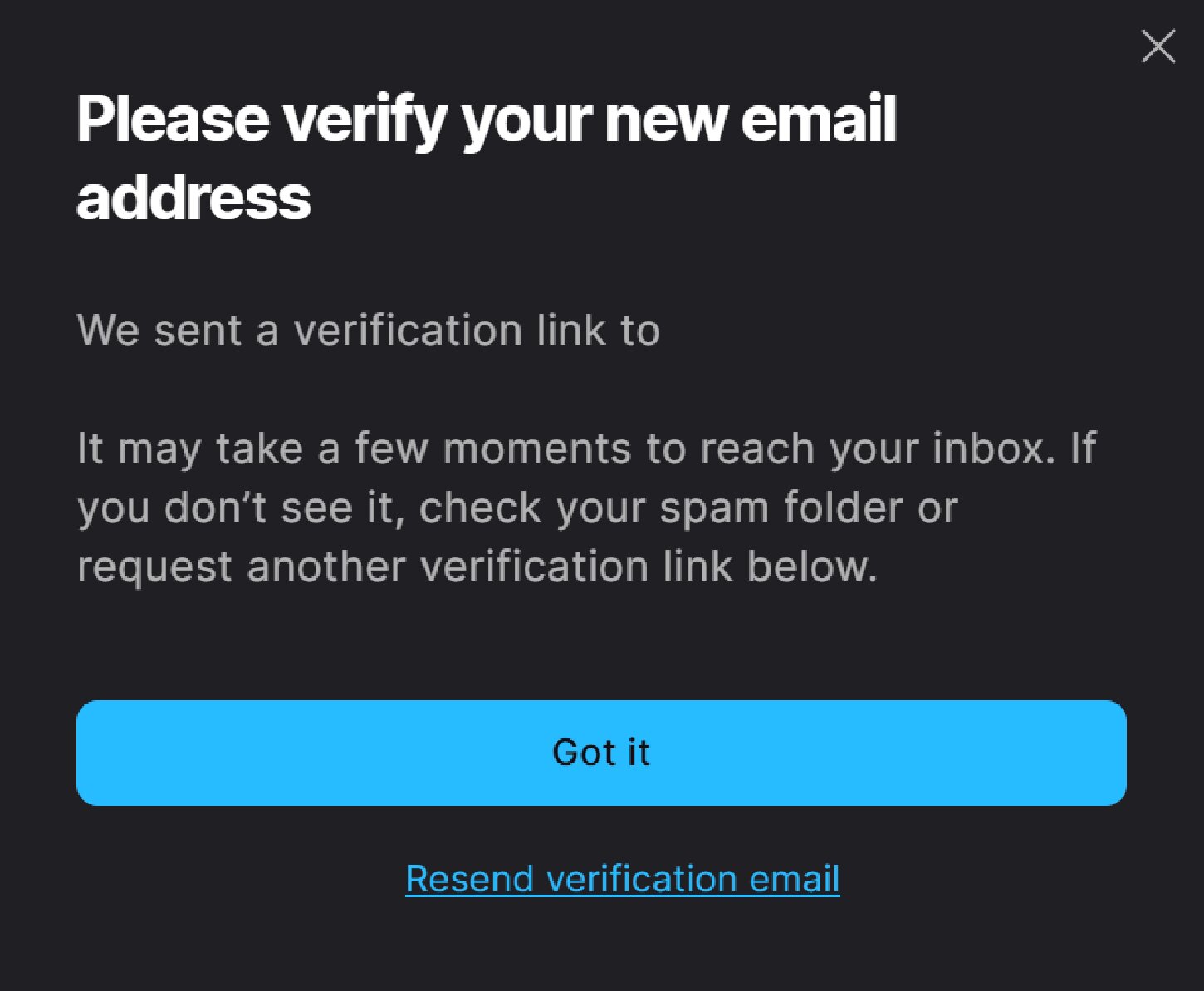
Busca el correo electrónico de verificación en la bandeja de entrada de tu nuevo correo y haz clic en VERIFICAR TU CORREO ELECTRÓNICO.
El título del correo electrónico será "Confirma tu dirección de correo electrónico". Si no lo encuentras, revisa tus carpetas de correo no deseado.
Si abriste este correo electrónico en otra ventana del navegador o dispositivo, se te pedirá que inicies sesión en tu cuenta de Epic Games. Cuando lo hagas, usa el correo electrónico anterior (el que estás queriendo cambiar)
Recibirás una confirmación en tu nuevo correo electrónico. ¡Cambiaste correctamente tu correo electrónico!
Si no puedes acceder a la dirección de correo electrónico actual de tu cuenta de Epic Games
To start the email change process, follow the instructions in How can I recover access to my Epic Games account?
Si no recuerdas el correo electrónico actual de tu cuenta de Epic Games
Por motivos de seguridad de la cuenta, no podemos decirte cuál es la dirección de correo electrónico de tu cuenta, pero si puedes iniciar sesión con una cuenta conectada, considera estas ideas para recordar la dirección:
Go to the Account settings (Se abre en una nueva pestaña) and look at the email in the Account information section. You’ll be able to see the first and last characters and the domain of the email address associated with your account.
If you remember your account password, you can reset your password in the Password and Security section. This will send a confirmation email to the current email address on the account.
If you still can't remember the email after trying the above, you can use our self-service flow to help you find your email.
Important: You have to be signed out of your account to use the self-service flow. If you are already signed in to the account where you forgot your email, do not sign out. Instead, open an Incognito window in your browser and then use the self-service flow: Search for your account email (Se abre en una nueva pestaña)
If neither of these options helps, and you still can’t remember the email address on your Epic Games account, please submit a support request and our team will help.