Comment vérifier votre temps de jeu dans le lanceur Epic Games
If you would like to view your game Activity and Total play time, follow the steps below depending on your launcher version.
Ancienne version du lanceur Epic Games
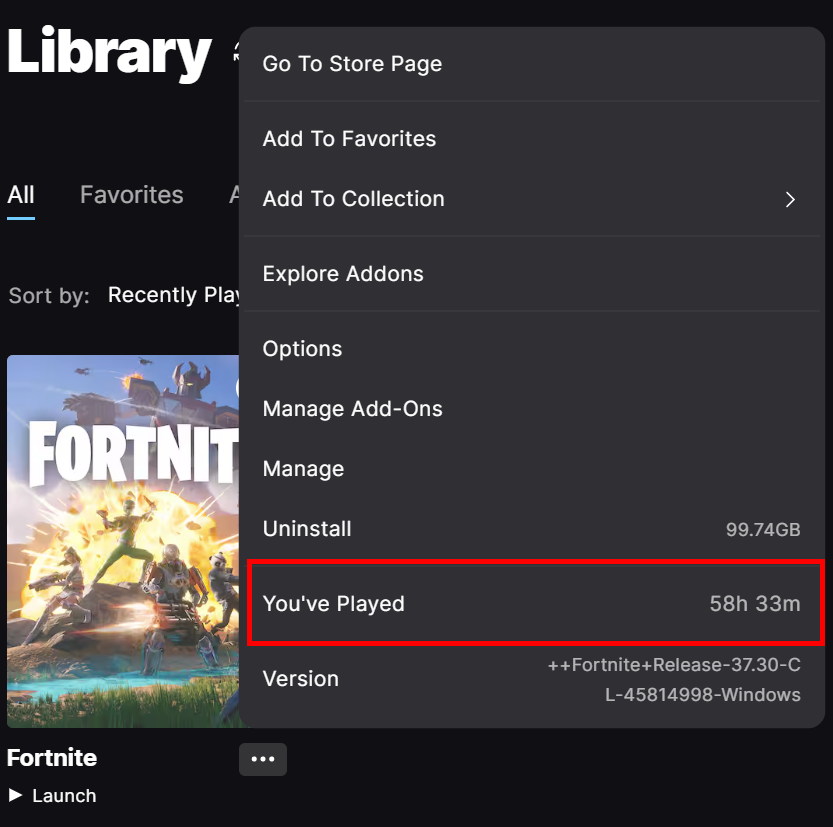
You can view your playtime by clicking the three dots next to the title in your Library and viewing the You've Played field.
You can also update the view in your library by clicking the bulleted list icon. You'll see a Time Played column, which displays playtime for games you've played

Aperçu du nouveau lanceur Epic Games
Aller à la bibliothèque.
Select the game tile to expand additional Game details.
Check the Activity section.
Check Total Play Time.