Epic Gamesアカウントのメールアドレスを変更する方法
If you are a child and your parent hasn't helped you set up your account, you may have a Cabined Account with different features. Visit this page (新しいタブで開く) if you think you might have a Cabined Account to learn more.
現在お使いのEpic Gamesアカウントのメールアドレスにアクセスできる場合
以下の手順に従ってください。
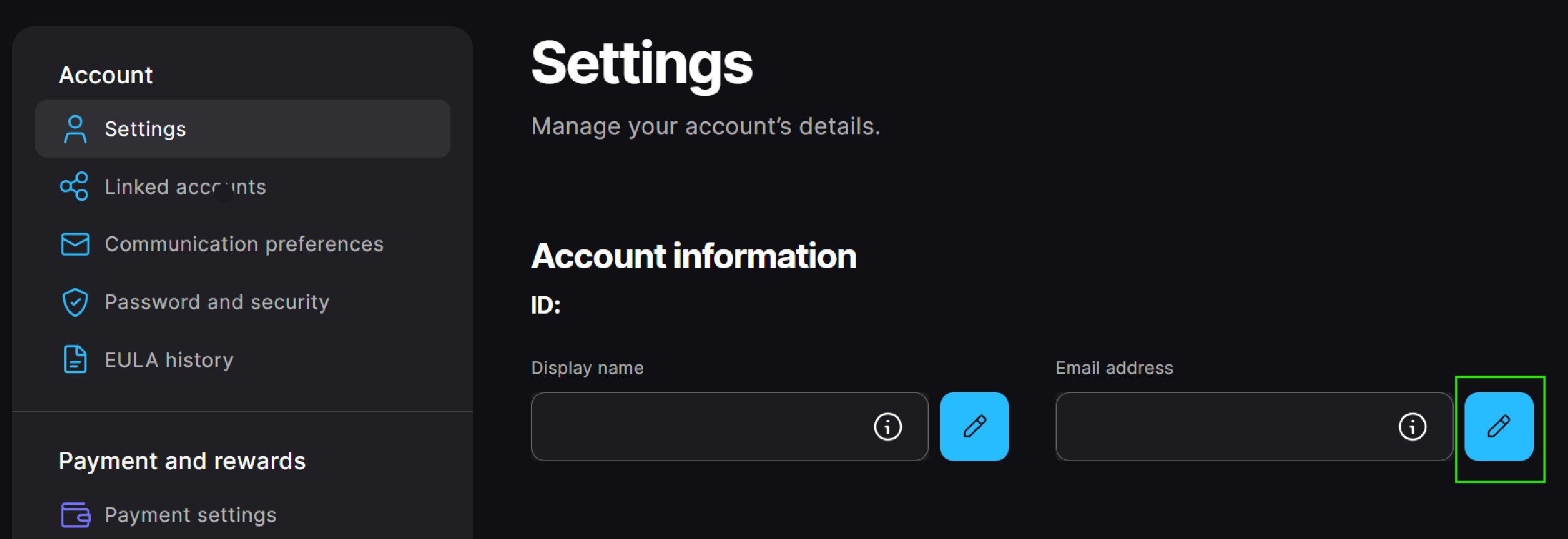
Sign in to your Epic Games account and then go to the Account settings (新しいタブで開く).
In the Account Settings section, select the Edit button to the right of your email address.
In the pop-up window, enter your new email address and then select Continue.
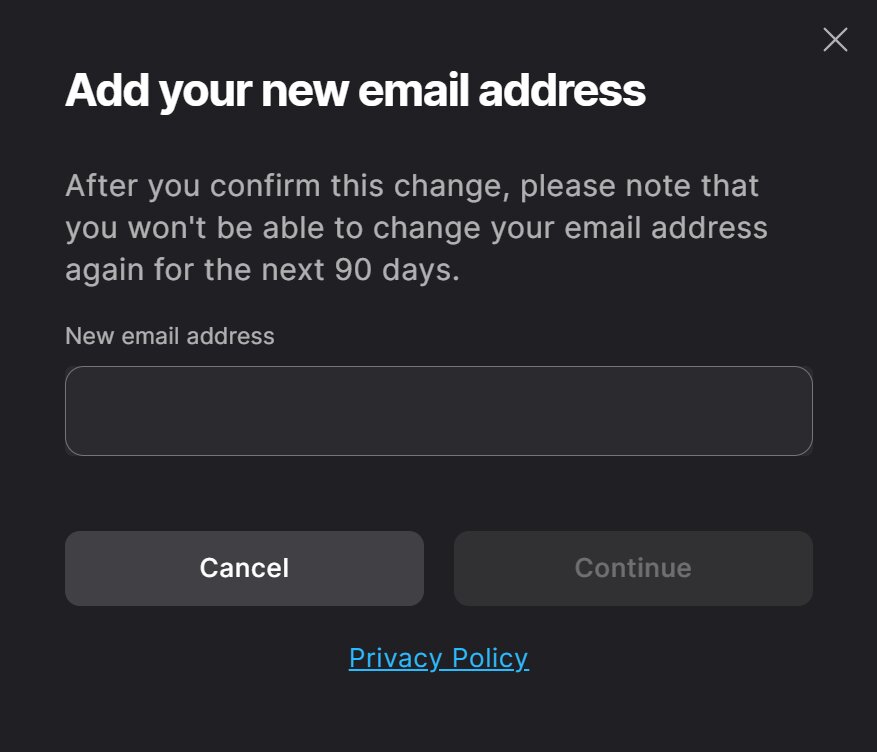 注意:You must enter an email address that's not in use on another Epic Games account.注意:The email address can only be changed once every 90 days.
When you select Continue, an automated email with a security code is sent to the current email on the account, and an Enter Security Code window will appear. Don't close this window.In the current email on your Epic Games account, find the email with the security code and enter the code into the pop-up window.
注意:The email title will be “Email Change Request - Security Code.” If you can’t find this email, check your spam folders.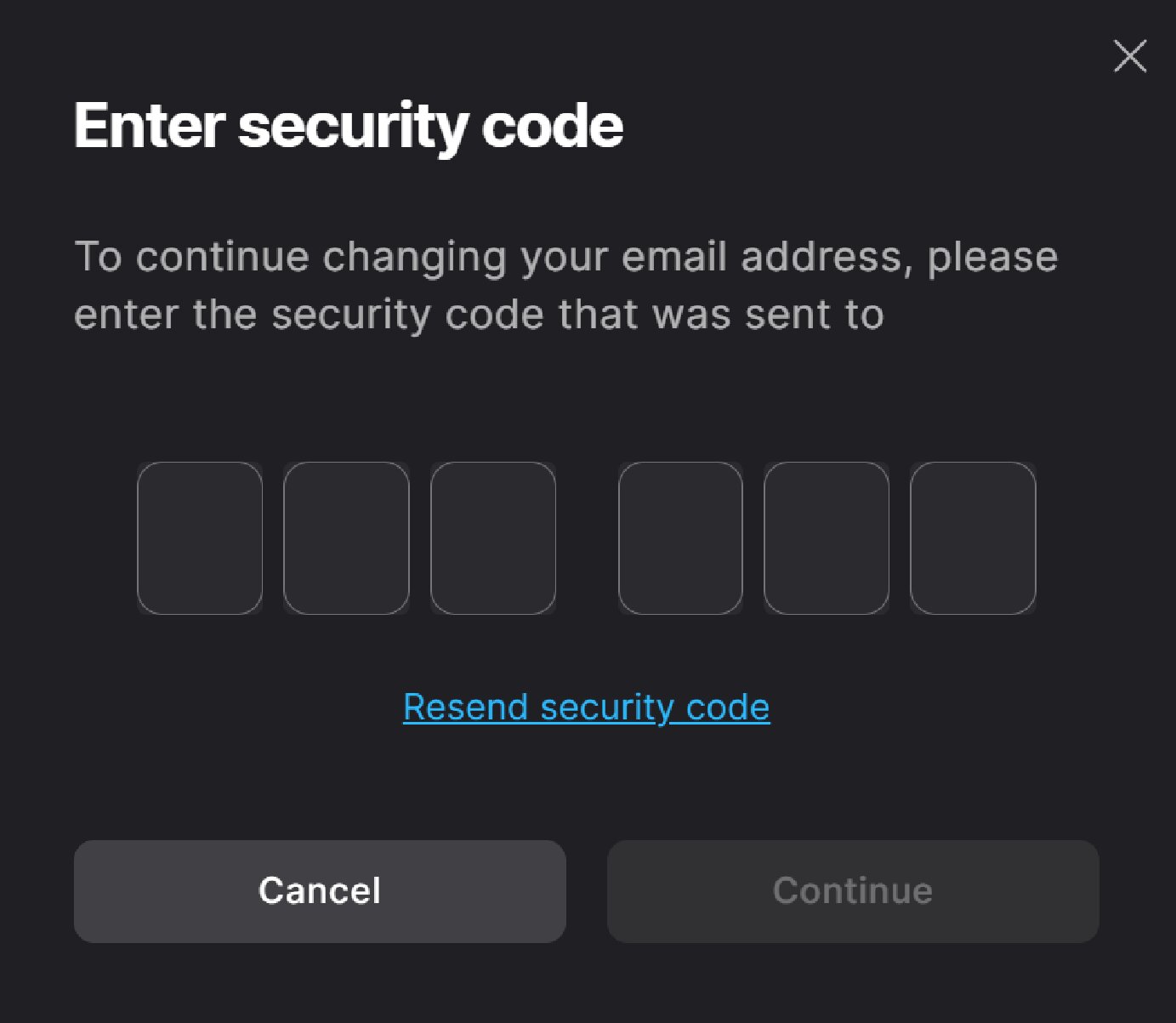
Select Continue.
An automated email with a verification link is sent to the new email address on the account, and a Please Verify Your Email Address pop-up window will appear.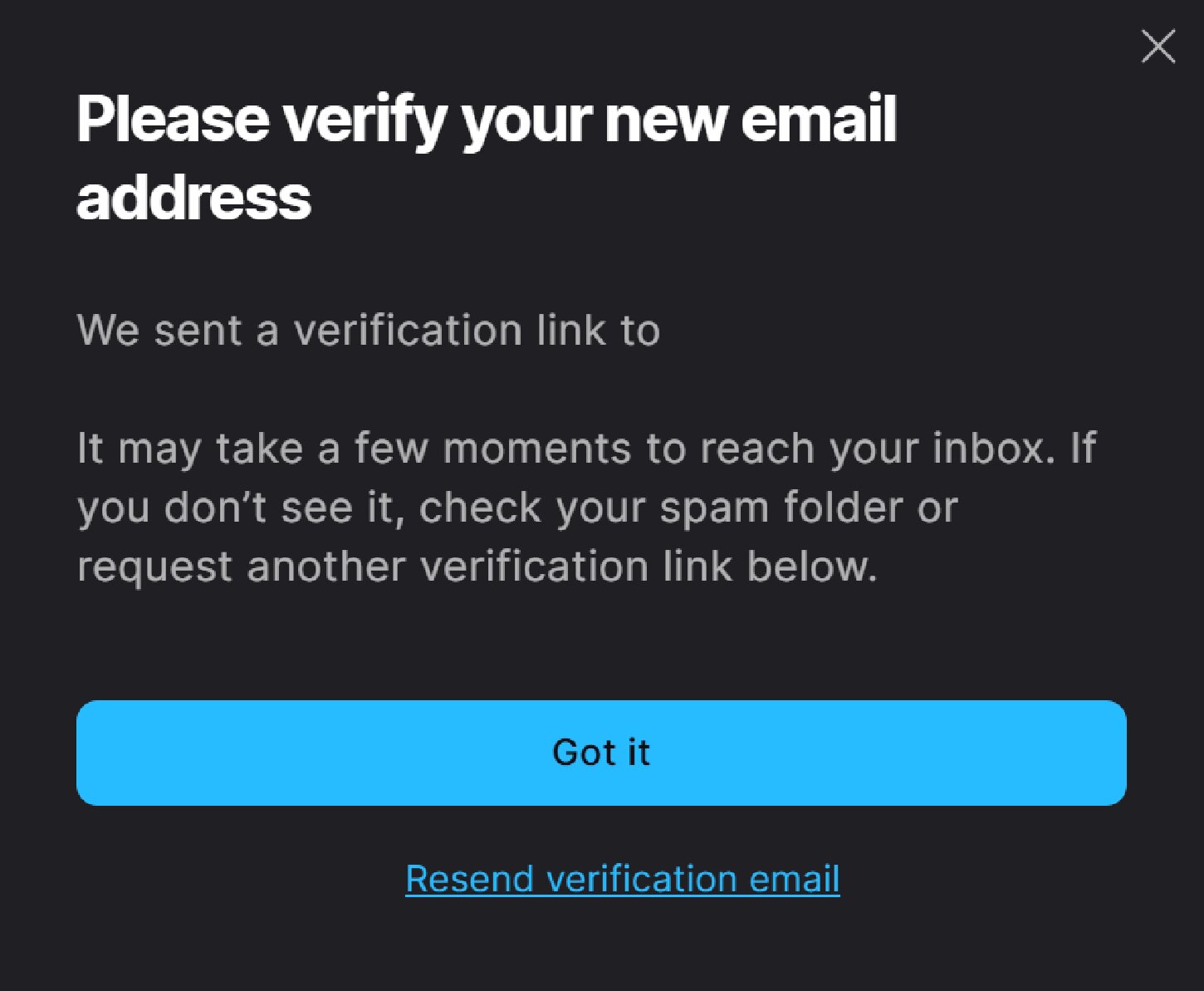
新しいメールアドレスの受信トレイで認証メールを見つけ、メールアドレスを認証をクリックします。
メールの件名は「メールアドレスを認証してください」です。このメールが見つからない場合は、迷惑メールフォルダをご確認ください。
このメールを別のブラウザウィンドウやデバイスで開いた場合は、Epic Gamesアカウントへのサインインを求められます。その際は、古いメールアドレス(現在変更中のもの)を使用してください。
新しいメールアドレスに確認メールが送信されます。これでメールアドレスの変更が完了しました!
現在お使いのEpic Gamesアカウントのメールアドレスにアクセスできない場合
To start the email change process, follow the instructions in How can I recover access to my Epic Games account?
Epic Gamesアカウントの現在のメールアドレスを覚えていない場合
アカウントのセキュリティの理由から、アカウントのメールアドレスをお教えすることはできませんが、リンクされたアカウントでログインすることができれば、思い出すのに役立つ方法がいくつかあります。
Go to the Account settings (新しいタブで開く) and look at the email in the Account information section. You’ll be able to see the first and last characters and the domain of the email address associated with your account.
If you remember your account password, you can reset your password in the Password and Security section. This will send a confirmation email to the current email address on the account.
If you still can't remember the email after trying the above, you can use our self-service flow to help you find your email.
Important: You have to be signed out of your account to use the self-service flow. If you are already signed in to the account where you forgot your email, do not sign out. Instead, open an Incognito window in your browser and then use the self-service flow: Search for your account email (新しいタブで開く)
If neither of these options helps, and you still can’t remember the email address on your Epic Games account, please submit a support request and our team will help.